
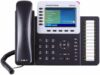
Grandstream GXP2160 IP Phone

€10.79
Grandstream GXP2160 IP Phone Price comparison
Grandstream GXP2160 IP Phone Price History
Grandstream GXP2160 IP Phone Description
Grandstream GXP2160 IP Phone: Unleash Your Communication Potential
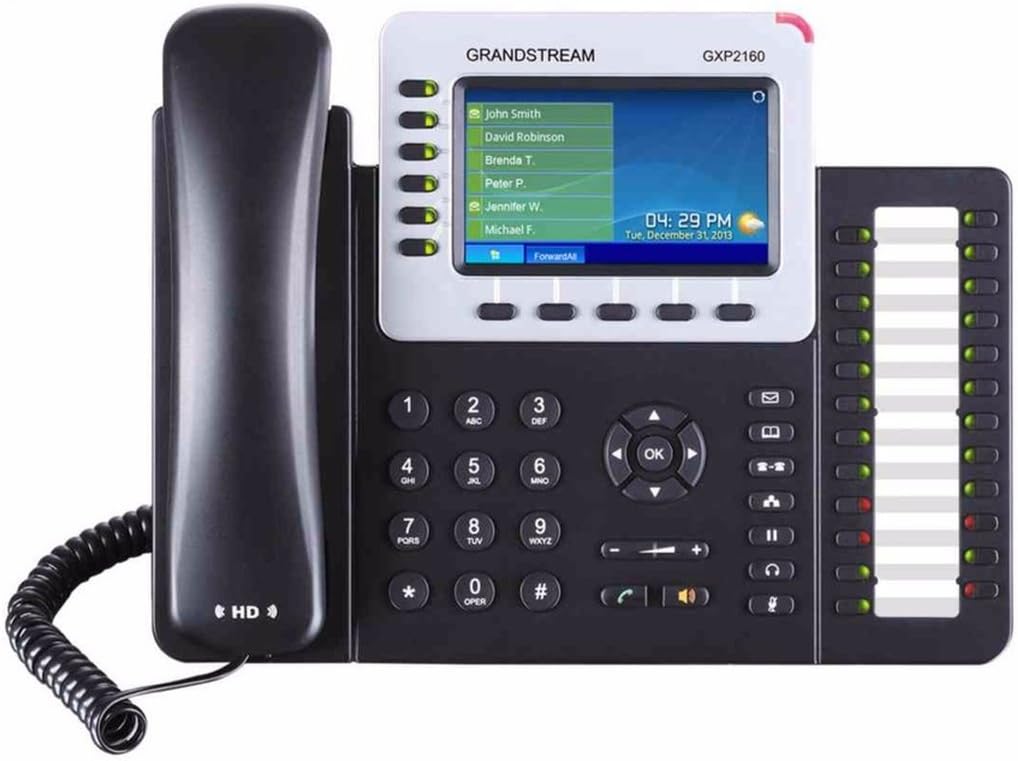
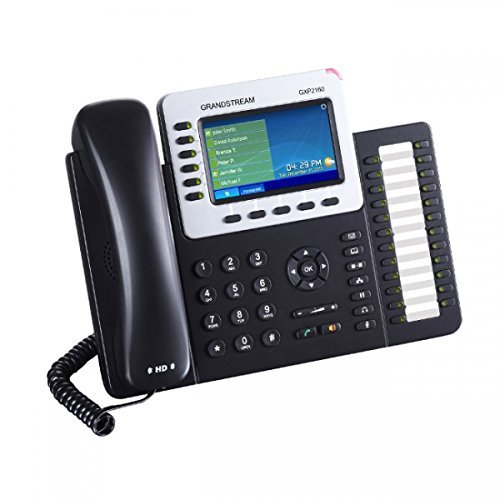
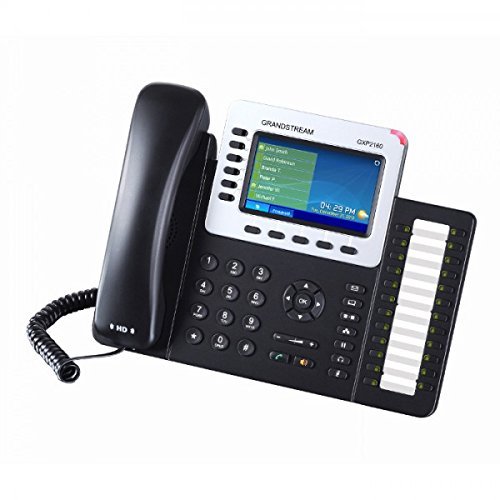
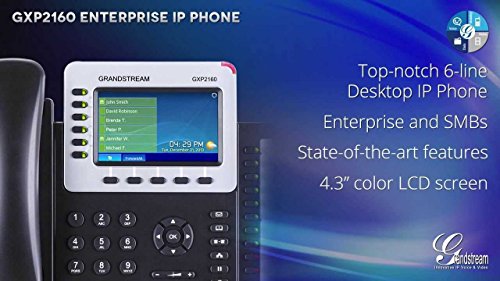
The Grandstream GXP2160 IP Phone is a powerful communication tool designed for busy professionals and businesses seeking enhanced connectivity. With its sleek design and robust features, this phone helps streamline your daily operations, making it a must-have for anyone looking to improve their calling experience. Simplify your communication—compare prices now!
Key Features of the Grandstream GXP2160 IP Phone
- Multi-Line Operation: Supports up to 6 lines, providing flexibility and efficiency for busy environments.
- 5-Way Conference Calling: Facilitates seamless collaboration during meetings among multiple participants, enhancing productivity.
- Caller Identification: Offers caller ID capabilities, helping you identify who’s calling before you pick up the phone.
- Wide Compatibility: Works with various SIP platforms and Bluetooth headsets, ensuring smooth integration into your existing setup.
- Digital Answering System: Keep track of important calls with a reliable digital answering system, capable of recording messages for later retrieval.
- Efficient Power Delivery: Compatible with PoE-capable network switches, simplifying installation by using just one cable for power and data.
- Enhanced Audio Quality: Features HD audio for crystal clear sound, making conversations feel more natural and engaging.
- Recording Capacity: Offers 18 minutes of recording time to capture important voice messages seamlessly.
Price Comparison Across Different Suppliers
The Grandstream GXP2160 IP Phone is competitively priced, with retailers offering varying deals to fit different budgets. On our price comparison platform, you can easily view the latest prices from numerous suppliers. Whether you are looking for the best price or specific buying options, our detailed comparisons help you find the optimal choice. Overall, the GXP2160 maintains an excellent balance of quality and affordability.
6-Month Price History Trends
Tracking the price over the last six months reveals interesting trends. The Grandstream GXP2160 has shown a stable pricing trajectory, with occasional drops during promotional events. This consistency indicates reliability in quality and value. Make sure to check back regularly to catch any limited-time offers or discounts.
Customer Reviews: Insights and Feedback
Customers have hailed the Grandstream GXP2160 for its versatility and high-quality audio performance. Many users appreciated the clarity of calls, making it ideal for conference calls and everyday conversations. The multi-line capability received positive remarks, particularly from businesses that rely on juggling multiple calls efficiently. Users also expressed satisfaction with the device’s easy setup process and intuitive interface.
However, a few customers pointed out drawbacks such as the relatively thick manual and initial difficulty in getting accustomed to all the features. Overall, the positive feedback significantly outweighs the negatives, solidifying the GXP2160 as a preferred choice in the IP phone market.
Explore Unboxing and Review Videos
If you’re curious to see the Grandstream GXP2160 in action, check out related unboxing and review videos available online. These videos provide valuable insights into the phone’s setup, features, and real-world usage. Witness firsthand how this IP phone can elevate your communication efficiency.
Why Choose the Grandstream GXP2160 IP Phone?
With its combination of advanced features and user-friendly design, the Grandstream GXP2160 IP Phone stands out in a crowded market. Whether for personal use or as part of a business phone system, this model delivers exceptional value and performance. For professionals seeking reliability and clarity, this phone is a top recommendation.
Ready to enhance your communication experience? Don’t miss the chance to find the best deals available. Compare prices now and take your first step toward superior connectivity!
Grandstream GXP2160 IP Phone Specification
Specification: Grandstream GXP2160 IP Phone
|
Grandstream GXP2160 IP Phone Videos


Grandstream GXP2160 IP Phone Reviews (10)
10 reviews for Grandstream GXP2160 IP Phone
Only logged in customers who have purchased this product may leave a review.



LaserTech –
Purchased to upgrade our old phones because of high noise environment. Ringer is loud and speech is clear.
SRA –
This phone is awesome! I decided to go off on a limb one day and built a phone system using FreePBX for my office. I looked around at phones for a while, took a look at Cisco because they’re so common in other offices, and even took a look at some Android desk phones. For the price I couldn’t find anything that had so much value as the Grandstream. The color screen is nice, (though the view angle could be a bit better), and there are a lot of buttons you can program etc.
It has an adjustable stand, and it also wall-mountable!
Probably what I love most is that this phone has Bluetooth. I can hook up my little Plantronics headset up and pace around the office and get things done while I’m on the phone.
Since I bought this phone, I also bought one of the lower models that has a smaller screen and less buttons, but it works great as well!
intiki_ojisan –
A well made, and good looking phone. PoE works fine with my Ubiquiti PoE switch.
A few glitches with some of the inbuilt programs – weather doesn’t work, though it appears there is a fix imminent.
Sound quality is good, hands free mode works well, and the build quality is very good.
Max Durango –
returned it. As I couldn’t connect Vonage
thomas –
注文から商品到着まで約一ヶ月近く待たされました。「商品の説明」に書いてあるような記載が付属のACアダプターにはないので並行輸入品でしょう。付属ACアダプターはアース棒無しの2ピンなので変換アダプター必要なく日本のコンセントに刺さります。機能的には十分です。バックライトのオートオフなど照明関係はもう少し細かい設定があっても良いと思います。4.2インチのスクリーンサイズ(2130と2140以上の差)と右横のMulti-Purpose Keys(2140との差)で本機を選びましたが、GXP16xxシリーズでも十分。ヘッドセットはJabra Biz 2300 QD Duo + GN1200 CCケーブルの組み合わせで非常に聞き取りやすい。本体付属のハンドセットも重いものの音は良い。Bluetoothは使っていません。USBメモリは東芝製のものを挿しています。付属の英語マニュアルは最低限の記載しかありませんので、GrandstreamのUSのサイトから一式ダウンロードします。掲載情報としては非常に充実していますが全て英語です。日本代理店の日本語サイトの方には日本語マニュアルはありません。
本機だと6回線使えるのでもったいないですが、2回線、NTTひかり電話とBrastel 050 Freeで使えています。設定は先人のレビューを大変参考にさせて頂きました。アカウントの設定がWeb上で表示されず時間を食いました。本体の↑キーで表れるIPアドレスにブラウザでアクセスします。(192.168.1.xなど)
一般ユーザーの場合は、Username user, Password: 123
管理モードは、Username: admin, Password: adminと別れています。後者でログインします。
NTTひかり電話の場合は、ひかり電話ルーターRV-S340HIとの組み合わせで、
Accounts > Account x > General Settings:
SIP server: 192.168.1.1
SIP user ID: 内線番号
Authenticate ID: ユーザーID
Authenticate Password: パスワード
Accounts > Account x > Audio Settings:
Preferred Vocorder – choice x: ルーターのCodec対応はG711 μ-lawだけなので、PCMUだけにしました。
Send DTMF: “via RTP (RFC2833)” を外して”in-audio”にチェックしないと宅急便再配達自動受付が入力できませんでした。
天気予報はweather.comにアルファベットで検索をかけて出てくる都市名/区なら登録できるようです。
Settings > Web Service
Self-Defined City Code: 都市名(英語), Japan
時間はNTPサーバーから拾ってくれますが、デフォルトがアメリカ東部時間なので
Settings > Date and Time
Time Zone: GMT+09:00 (Japan, Korea, Yatutsk)をプルダウンから選びます
なぜ、日本メーカーからこのような製品が出てこないのか不思議ですね。近いものがあってもマニュアル類が不足で手が伸びません。
写真のうち、それぞれ電話の標準画面、天気、為替レート、最後はひかり電話ルーターの設定画面です。本機だと電話機画面のキャプチャもできます。
[追記]Firmwareのアップデートにより、為替レートと天気予報は消されます。必要ならアップデートはしない事です。
chrislebaron –
I think this phone is fantastic. First, I needed to connect to different SIP systems simultaneously (so far connected RingCentral, Telzio). The 2130 version would have been fine, but I went all out and get support for six for testing and use functions.
It has a web interface via http:// that makes setup extremely quick and simple.
Phone is responsive, has good sound, I like the tactile qualities of it, and overall nice features. My last sip phone was a 3Com from the prior decade; this is a large improvement.
Finnley Dolfin –
Looks ok, cheap, doesn’t work, drops audio spontaneously about 3-4 minutes into every call, product support from manufacturer incompetent, unhelpful, actually difficult to describe its inferiority. If you buy this you will waste a lot of time, a bit of money and a lot of nerves for something that you can only put in a trash bin.
Finnley Dolfin –
I run FreePBX in the cloud and have multiple phone number I use. In order to dial out from one of those numbers, I had to dial 9, 8, or some other combination of digits. I decided on the Grandstream GS-GXP2160 because it offers 6 SIP connections, the color display, and some various customization.
Once I received the package, I was up and running in minutes. You can configure the phone via the telephone’s keypad or via web interface. I opted for the web interface. I set up all 4 of my extensions and say they went green. Calling out was no problem, but I ran into my first hiccup. I couldn’t receive calls. I opened up RTP ports 10001-20000 and SIP ports 5060-5061 to the phone. Now I was able to dial out, but from only one extension. I found that each account was assigned every other next available SIP port. Account 1 had 5060, account 2 had 5062, account 3 had 5064, and so on. I extended the range of forwarded SIP ports from 5060-5061 to 5060-5070 and that solved it.
I continued setting up the phone and changed the time zone, set some wallpaper, and configured the weather. Getting the weather configured was a bit tricky. You need to look up your self defined city code. To find this you need to head to The Weather Channel and search for your City, State. It cannot be done by zip code. When you load the weather page for your City, State, in the URL there will be a code. For Redlands, CA it is USCA0923. Copy that code and paste it in the phone’s configuration and it will instantly update the weather information. To view the forecast, push the first button on the home row left of missed calls.
I poked around the other settings to see if there’s anything else I needed to configure or customize, but didn’t see anything that I needed to change so I called it good.
Last night I did get hit with another gotcha. The phone kept ringing and it was from an extension which doesn’t exist on my system. Some have called these ghost calls. What is happening is it is a hacker scanning your network and seeing if they can take advantage of any vulnerabilities on your system. I did some reading and found the solution is to enable Check Accept Incoming SIP from Proxy Only under Accounts > Account # > SIP Settings > Security Settings. I also enabled Check SIP User ID for Incoming INVITE. Another solution would to be to use non-standard SIP ports. But after making that change, I haven’t received another Ghost Call.
Gianni Orlandini –
Ce téléphone est vraiment excellent, rapport qualité prix au top.
Nous nous en servons à titre professionnel (3 postes acquis) et vraiment très très satisfait !
Zafar Khan –
Perfetto