
Phomemo M220 Label Maker, Portable Thermal Printer
 Netzwerkartikel.de
  Shein.com
  Neweggbusiness.com
  Manomano.de
  Galaxus.de
  Newegg.com
Original price was: €86.99.€54.59Current price is: €54.59.
Phomemo M220 Label Maker, Portable Thermal Printer Price comparison















- This product is available at Netzwerkartikel.de, Newegg Business, getgoods DE, Empik.com, SHEIN, OnBuy EU, Newegg.
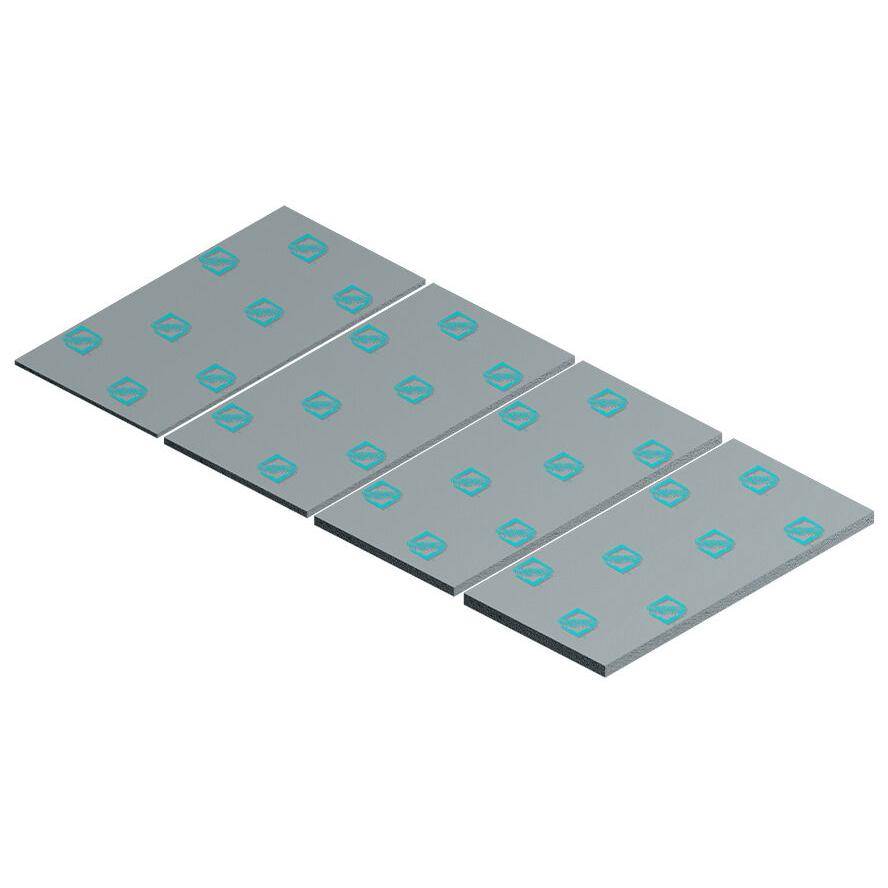
- At netzwerkartikel.de you can purchase ICEBERG THERMAL DRIFTIce Thermal Pad 40mmx80mm 0.5mm for only €4.89 , which is 97% less than the cost in Newegg Business (€174.89).
- The lowest price of Phomemo M220 Label Maker, New Flagship 3.14 Inch Bluetooth Thermal Label Printer for Barcode, Address, Labeling, Mailing, File Folder Label, Easy. was obtained on October 5, 2026 06:14.
Phomemo M220 Label Maker, Portable Thermal Printer Price History
Phomemo M220 Label Maker, Portable Thermal Printer Description
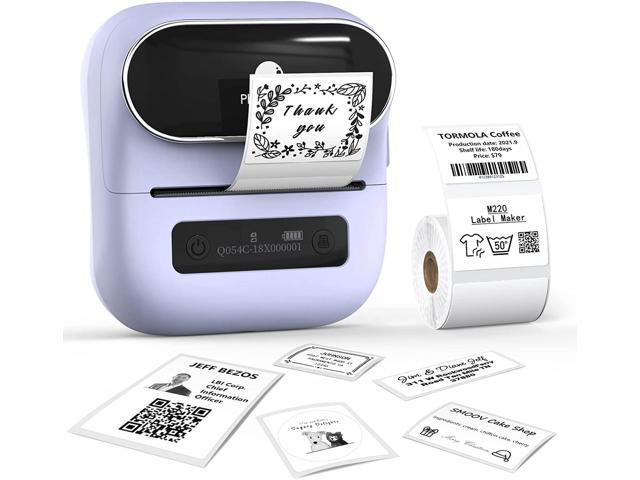
Phomemo M220 Label Maker: Your Ultimate Portable Thermal Printer
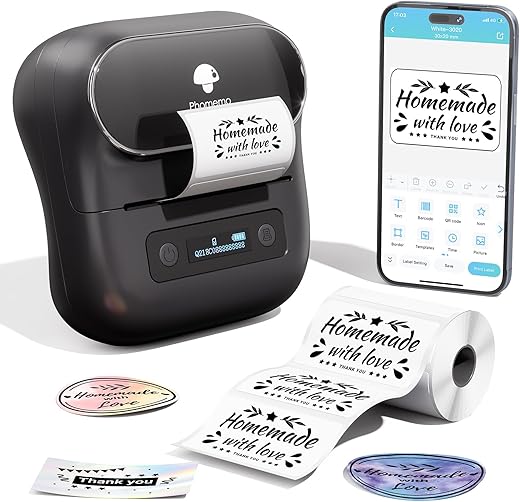
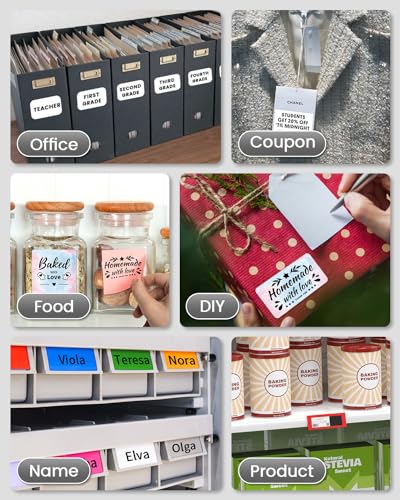
The Phomemo M220 Label Maker is a versatile, high-performance thermal printer designed for simplicity and efficiency. With Bluetooth and USB-Type-C connectivity, it’s perfect for users who require fast and convenient labeling solutions. This portable label maker is compact, lightweight, and has been trending among consumers seeking quality and reliability. Whether you’re managing office supplies, organizing personal items, or running a small business, the Phomemo M220 is your go-to device for all labeling needs.
Key Features of the Phomemo M220 Label Maker
- Compact and Portable: Weighing only 0.88 pounds and measuring 3.9″ D x 4.33″ W x 1.38″ H, the Phomemo M220 fits easily in your bag. Ideal for on-the-go labeling!
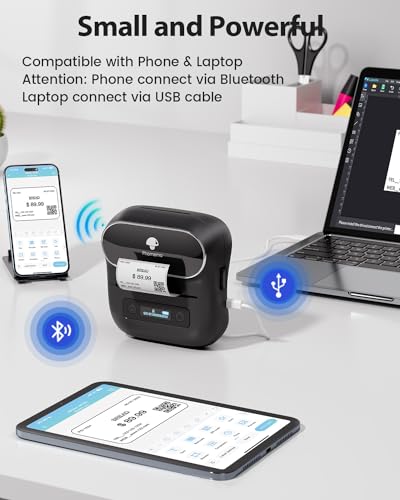
- Bluetooth and USB Connectivity: Connect your smartphone or tablet via Bluetooth for effortless printing from iOS and Android devices. Use the USB connection to print labels from PCs and laptops.
- Effortless Thermal Printing: No need for ink or toner. The thermal printing technology offers high-quality monochrome outputs at a remarkable speed of 70 ppm.
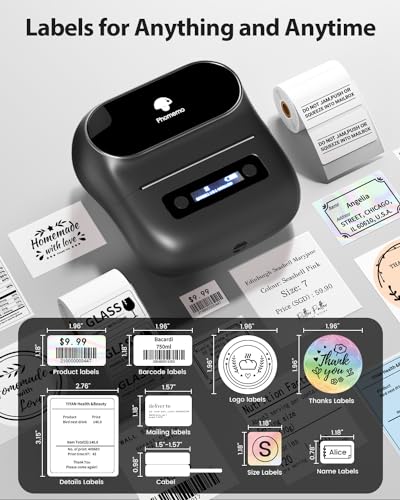
- Versatile Label Support: Compatible with various label sizes ranging from 20mm to 80mm, perfect for barcodes, QR codes, clothing tags, price labels, and more.
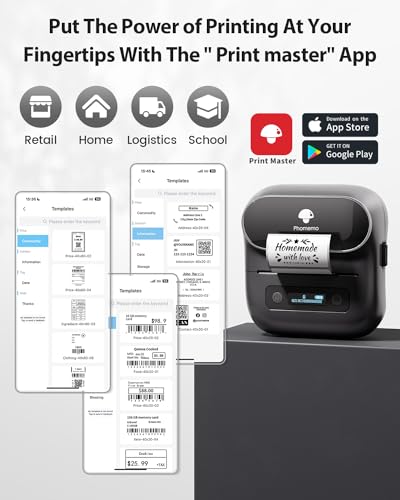
- User-Friendly App Control: Control your label maker with an intuitive app. It’s compatible with multiple operating systems including Windows, macOS, and Chrome OS.
- Included Components: Comes with one roll of thermal labels (1.57” x 1.18”), a user manual, and a USB Type-C data cable, ensuring you have everything needed to start printing right away.
Comparative Pricing Across Suppliers
When it comes to obtaining the best deal on the Phomemo M220 Label Maker, prices vary across various suppliers. As of now, you can find competitive pricing from several online retailers. By analyzing the current market, you’ll see a range of prices from $39.99 to $54.99. Always check our price comparison feature to find the best deal and save on your purchase.
Insights from the 6-Month Price History
The price history of the Phomemo M220 shows some notable trends over the past six months. Initially priced around $49.99, there have been fluctuations with dips in price during sales events. The average price has stabilized around $42.99 recently, making it an excellent time to buy the product as it seems to be settling at a lower, more accessible price point.
Customer Reviews Summary
Customers have praised the Phomemo M220 Label Maker for its ease of use and excellent print quality. Many appreciate the fast printing capabilities and the convenience of being able to print labels from their smartphones. The compact design has also garnered positive feedback, allowing users to easily store and transport the device.
However, some users have pointed out minor drawbacks, such as occasional connectivity issues with Bluetooth and a limited selection of label sizes included in the package. Overall, the customer satisfaction rate remains high, with many users highlighting its functionality for both home and business applications.
Explore Unboxing and Review Videos
If you’re interested in learning more about the Phomemo M220, there are several unboxing and review videos available on platforms like YouTube. These videos showcase the printer’s setup process, review its performance in real-world scenarios, and provide additional tips on maximizing its features. Watching these will give you a clearer understanding of its capabilities and help you make an informed decision.
In conclusion, the Phomemo M220 Label Maker stands out as a reliable solution for those in need of an efficient, portable, and user-friendly thermal printer. With a growing array of positive reviews, competitive pricing, and flexible connectivity options, this label maker is an asset for both personal and professional use. Don’t miss your chance to elevate your organizational game!
Compare prices now!
Phomemo M220 Label Maker, Portable Thermal Printer Specification
Specification: Phomemo M220 Label Maker, Portable Thermal Printer
|
Phomemo M220 Label Maker, Portable Thermal Printer Reviews (13)
13 reviews for Phomemo M220 Label Maker, Portable Thermal Printer
Only logged in customers who have purchased this product may leave a review.
Dragonfly –
Love these so much, I got three! My uncle used his to make oil change stickers for his retirement “job.” I’ve loved designing things and got a little extra even making labels for our frozen foods and left overs.
Joseph Barnes –
A nice handheld size, easy to setup, I opened it and connected it to my phone immediately, a professional looking printer very neat that will sit on any desk and take up hardly any space, quick printing, there are plenty of patterns and styles on the app to use, performs beautifully, quality of the labels is very good, I’m delighted with my purchase, you can make address labels and thank you labels whatever you would like, I highly recommend, thank you very much.
charles Konen –
I’ve only had this for a few days but it was easy to set up on the phone and instructions were easy to read. I do wish there were instructions for its use. It’s not too difficult to figure out but the border feature should let us pick which size paper we are using so we don’t have to waste stickers resizing, adjusting and test printing the design to fit the proper size sticker you are using.
BRENDA CURFMAN –
I use this to print labels for my jewellery cards and it’s perfect. I love how easy the app is to use to design your labels and the print is excellent and quite detailed. Such a great buy. You can order different color and size labels to meet your needs.
Teresa Wilkie –
Pretty easy to use and did a great job printing an image I imported. Definitely worth the money
Abby VB –
I purchased this label to better organize items and products as I run an auto parts store. This little thing is great! Set up was a bit confusing at first trying to figure out the measurements of the paper. I did figure out in the settings there is an option to change from mm to inches which was really nice. This little label printer has put my mind at ease hopefully my employees will be able to put up parts for efficiently.
Meghan –
I have played with this for over 5 hours today and then about 2 hours last night when I got it, posted a question, called support, wasted 1/3 roll of stickers, and still cannot get an answer. It will not print straight, or print on the same sticker, it prints really slow, says it does not have paper at times, so you have to open it up and then closing it (wasting a sticker). I do not think it is worth what you pay, it is kind of compact but about the same size as a larger one. The case it came with would be nice if the zipper didn’t come off at times. I like that it seems to stay connected and turns off automatically saving power. Amazon keeps telling me to call support and support tells me let me have my supers call you back.
BRENDA CURFMAN –
Llegó muy bien empacada y protegida, funciona perfecto y simplemente me felicito por el regalazo que me hice. Amo, amo, amo.
Abby VB –
Fast shipping ; easy install
Denise Guzman –
お高いけど買って本当に良かったです!
Phomemoを購入するにあたりシリーズが沢山かつ値段も幅広くあり、Amazonの商品情報やYouTubeレビューを見てもなかなか比較が難しく苦労したので、購入を検討される方のお役に少しでもなれれば幸いです…🙏
以前はS⚪︎EINで購入した2000円ほどのサーマルプリンター(画像左の白本体)をよく使っていたものの、印刷画質がよくない、黒が綺麗に出ないなどの点からちょっとお高めのこちらを購入。
こちらのM220は黒がはっきり綺麗に印刷できるので、モノトーンラベルを作るのに最適でした!印刷スピードもとても速い。専用アプリも使いやすく作ったラベルの下書きを保存して置けるので、よく使うラベルはいつでも手軽に印刷出来ます。
以下、私がどのシリーズを購入するかの判断材料にしたものです。
【シリーズ分類】
※Phomemo公式サイトの比較画像をレビューに拝借しました。
▼M110〜M221
全て画質203dpiで統一。
ラベル専用のため、専用印刷紙も四角や丸など最初から型抜き済みのシール台紙がほとんど。専用アプリもそれ用のため好きな長さに印刷するには手動設定が必要。(できないことはない)
M110はこちらのM220と画質は同じですが、印刷できる台紙の上限幅が小さい。M110は幅20mm-50mmまで、M220は20mm-75mmまで。小さいラベルしか作らない方は安価なM110でも良いと思います!
M200とM220は本体性能がほぼ同じで違いがわかりませんでしたが、M200はAmazonで検索しても見つからなかったので私はM220を購入しました。
▼M02〜M04
ミニプリンターの扱いなので、基本長く一枚になっている印刷紙を使う想定の商品です。毎回設定なしで好きな長さに印刷したい方、長い文章を印刷して貼りたい方などはこちらが良さそうです。四角や丸などのラベル台紙は使えないと思われます。印刷した後に好きな形にカットすればラベル台紙と同じように使うことはできると思います。
M02など数字の後に何もないシリーズは画質が203dpi、M02プロやM03ASなど数字の後に何か続くシリーズは画質が304dpiとPhomemoの中で現行最高画質です。
あとはバッテリーの容量、ラベルの対応幅、充電がType-CかマイクロUSBかの違い。本体の大きさやデザイン、印刷スピードなどはほぼ変わらないのと好みになるため割愛します。
【印刷紙について】
おすすめ:シリーズ専用の、かつPhomemo専用の台紙
Phonemo専用の台紙はお高め、Amazonでも3個セットなどで売られてますのでなかなか手が出しにくいですが、安価な台紙とは比べ物にならないくらい印刷が綺麗に出ます。特に黒ははっきり綺麗に出るので、背景黒に白文字のモノトーンラベルを作るのに最適でした。
耐水もあるため水に濡らしても印刷が消えません。
私は洗濯洗剤や柔軟剤を移し替えた容器にラベルとして貼っていますが、安価な台紙だと少し水や洗剤が付いただけで印刷が消えてしまいました。長く貼っておきたいラベルはお高めですがPhomemo専用のものを、とりあえずのメモ程度の印刷なら安価なものをと使い分けると良さそうです。
また、Phomemoの別シリーズ用(M220非対応)の台紙を試しに購入したところ、本体内部の台紙セット用の軸に通すことが出来ず、セットが出来ない。ただ、軸を外して台紙だけ入れた状態にすれば印刷は問題なく出来ました。支えがないため印刷時台紙がずれて斜めに印刷されてしまうことがあるので、几帳面な方はきちんとシリーズ対応している台紙がおすすめです。
【値段】
Phomemo公式サイトよりAmazonの方がお安く買えました。(本日時点、公式だとM220は定価17,228円、セールで10,337円。円安の影響かもしれません。私はAmazonセールで7200円ほどで購入)
Amazonだと大体6000円台〜、シリーズや性能によって値段が上がるイメージです。
【その他良かった点】
専用アプリが使いやすい、作成したラベルをアプリ内に保存して何度でも印刷できる、Bluetoothで簡単に接続できる、印刷が速くて綺麗、いろんな種類の台紙で印刷できて楽しい、パソコンを使わなくてもおしゃれなラベルが作れる
アプリ内に好きな画像やフォントがないときは、私はCanvaやその他画像編集アプリでラベルの画像を作って印刷してます。いろんな使い方ができます。
【その他気になる点】
印刷紙を変えると、自動で台紙の位置セットが動き一枚分くらい印刷されずに排出されてしまう。
これは一度電源を切ってから台紙を手でちょうどいいところにセットすれば、余分に排出されることはなかったです。
毎回電源を切ったりする手間が気にならなければ問題無さそうです。
Cher Ann –
I bought this to make shipping labels for my small business and love this printer. No ink replacement, no setting up complicated templates and I can take it anywhere with me. Holds a charge for weeks, the print quality is awesome, it prints quickly and is not another huge piece of equipment on my desk. Fits on a drawer
Alyissa –
Quality if the gadget is good! A convenient and irreplaceable thing in the household, very easy to manage
Cher Ann –
I don’t usually write reviews, but after reading all the negative reviews and purchasing this product ready for a challenge, there was no challenge! The product is easy to use right out of the box! Scan the QR code, download and open the app, start to create your labels and print.
I purchased the set with the bag and the three different size labels. I was more interested in the app when looking for a label maker. The app does not come with preloaded templates. You have to create your own. Once you have an idea it’s a very easy process. You can edit and print PDF files, access your photos to print on labels, includes barcodes, QR codes, OCR, icons, borders, lines, different fonts, tables, Excel, voice recognition, shapes, and scan functionality.
The printer does turn off and you have to select “reconnect” before you print, if there is an extended time during print cycles. It’s one extra simple button. The labels print super fast and are ready to use. The printer seems very durable and quiet.
The only two issues I have run into are printing super small font, it tends to blur a bit, and when changing label tape to a different one it does waste one or two labels, which is to be expected. I’ve attached a photo from the app for anyone in need of a simple template.